Runs
Built for the recycling floor.
Joodra Works mirrors the actual recycling workflow. Operators run the process — the system captures the data.
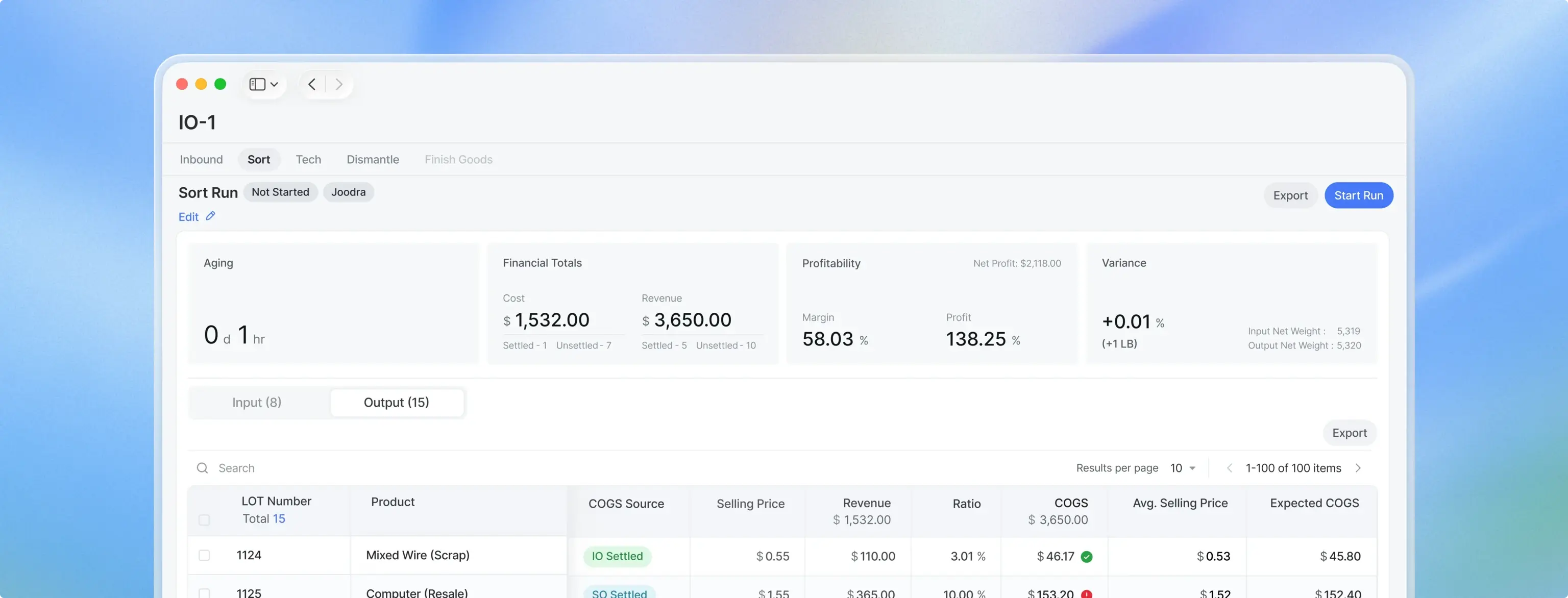
Settlement Logic
Process modules
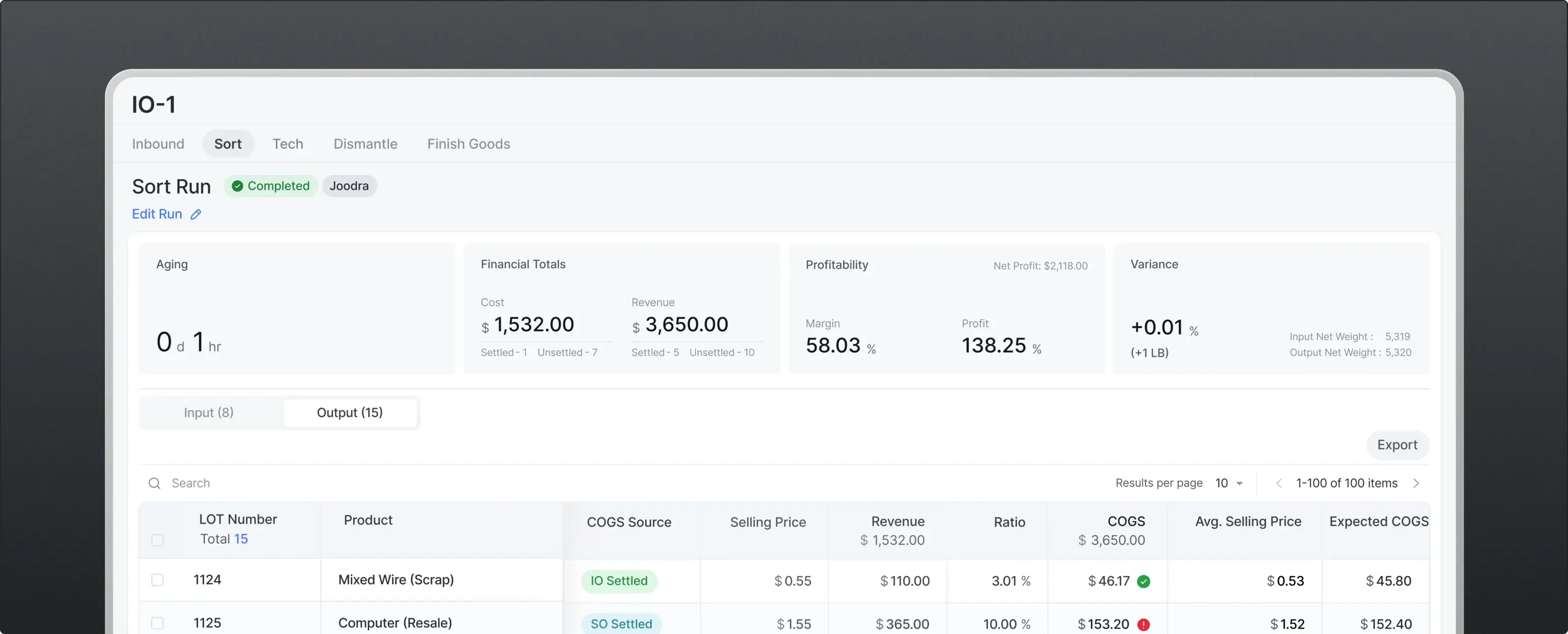
01
Sort
Classify inbound commodities into multiple outputs — PCB, steel, precious metals, and more. Run results are automatically recorded and ready for the next process or settlement.
Run Type
Single Run vs Batch Run: What's the difference?
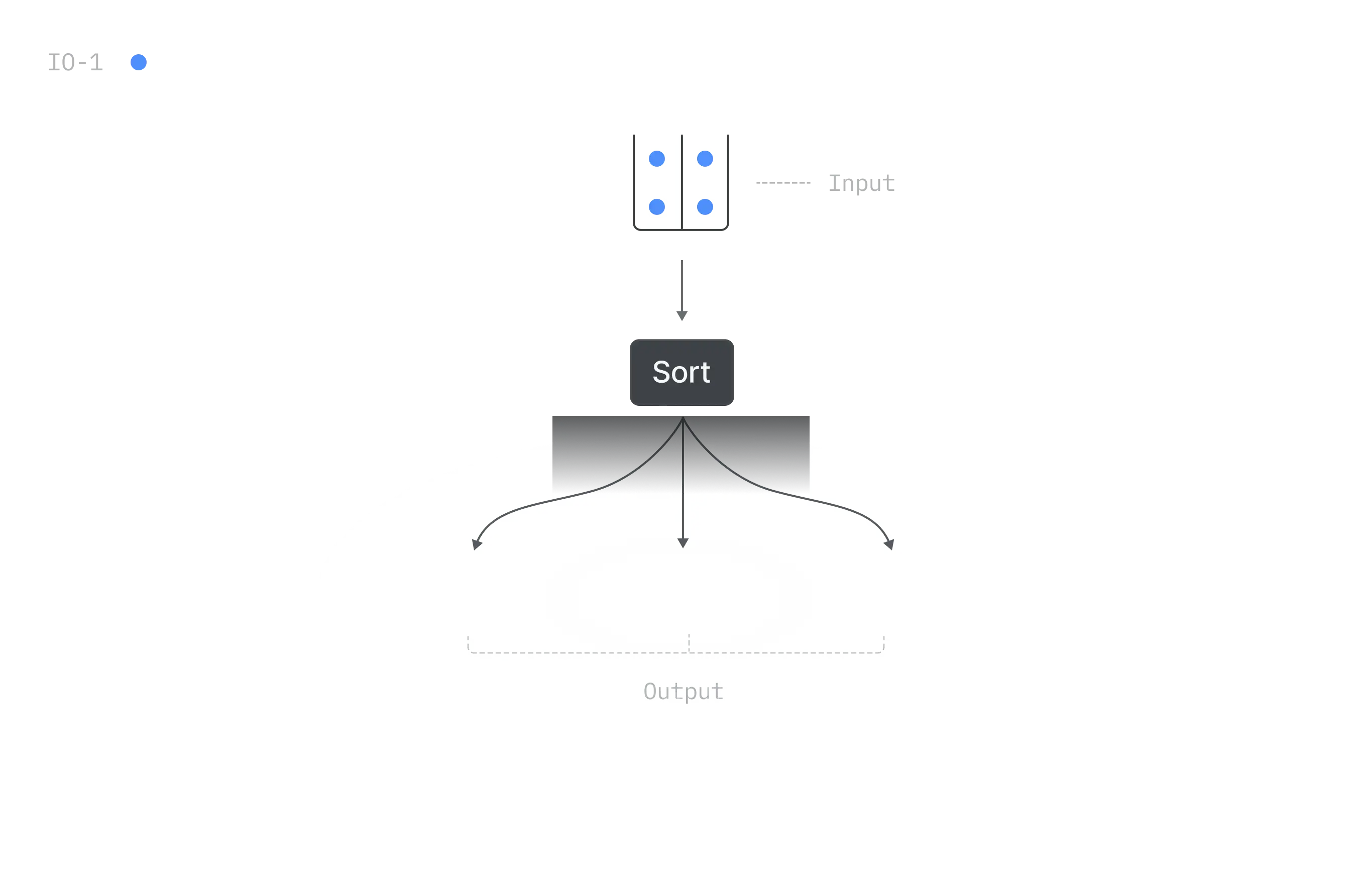
01
Single Run
Run commodities tied to a single Inbound Order (IO). Run results stay linked to that IO — enabling settlement per supplier and COGS calculations. Single Run is the default method for initial processing. When an IO is created, a corresponding Inbound (IN) is automatically generated. Commodities received through the IN then move through their defined processes — typically Sort → Tech → Dismantle. All run results remain attached to the original IO. This ensures that once the run is complete, settlement is processed directly per IO.
For example, if Supplier A creates IO-1, the system automatically generates IN-1. Electronic waste received through IN-1 is then processed in a Single Run according to its workflow: Sort → Tech → Dismantle. The run results from each process remain linked to IO-1, allowing settlement to be completed based on that order.
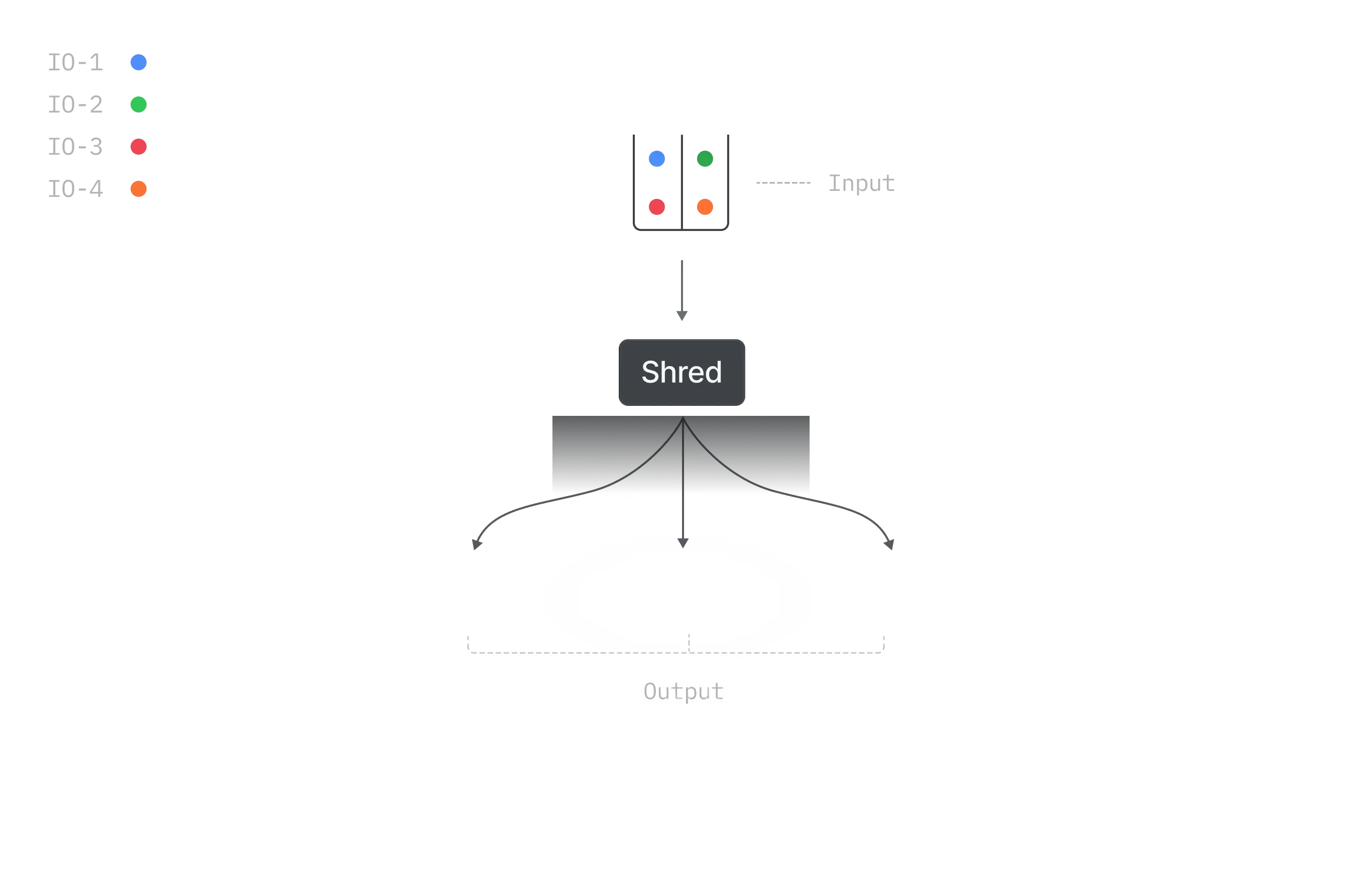
02
Batch Run
Combine and run LOTs from multiple Inbound Orders at once. Batch Runs support all process types: Sort, Tech, Dismantle, and Shred. Depending on the process, you can input LOTs from the corresponding processing stage or from Staging inventory.
For example, once enough PCB scrap from multiple suppliers accumulates in Staging, it can be processed together in a Shred Batch Run. Because commodities from multiple IOs are mixed, Batch Run LOTs are excluded from IO-level settlement.